


Who Viewed My TikTok Story? How Viewer Lists Work
See who viewed your TikTok story in the app, what the list shows, and how anonymous viewers differ from signed-in checks.
Published

On this page
Wondering who viewed my TikTok story? TikTok lets creators check a viewer list for their own live Stories inside the app — steps are in TikTok’s official Stories help. That list is the main way to see which signed-in accounts opened your update.
This guide covers how to open the list, what it means, and how browser TikTok story viewers (like Tik Story View) differ from signed-in app views. If you only want quieter public checks on other people’s public Stories, read does a TikTok story viewer notify the creator next.
Can you see who viewed your TikTok story?

Your own Story can show an in-app viewer list. A browser public viewer is a different workflow.
Yes — for Stories you posted, while they are still live. TikTok’s story tray is built as a social format: people who open your Story while signed in can appear in a list you can review.
No — not for other people’s Stories. You cannot open someone else’s viewer list. And you cannot use a public browser tool to pull a secret “everyone who watched” dump that TikTok does not show you.
Also remember lifespan: Stories usually last about 24 hours per TikTok Help. When the Story expires, that live viewer window closes with it.
How to check story viewers in the TikTok app
Exact taps can shift slightly by app version, but the flow is consistent:
- Open TikTok and go to your profile
- Open your active Story (the ring on your avatar)
- Look for the viewers / views control while the Story is open
- Tap it to see accounts that viewed that Story
- Swipe or tap through multiple Story frames if you posted more than one
Tips while you check
- Check early if you care about the list — waiting until after expiry is too late
- Confirm you are looking at Stories, not only feed posts
- If nothing appears, you may have no views yet, or the Story may already be gone
For posting basics, see how to post TikTok Stories.
What the viewer list does and does not show
The list is useful — and incomplete. Treat it as a signed-in social signal, not a forensic log.
It typically helps you see:
- Accounts that opened your Story while signed into TikTok
- A sense of who engaged with that update during the live window
It does not mean:
- Every possible human who ever saw a screenshot elsewhere
- Private “unlock” data from a third-party site
- A permanent archive after the Story expires
If someone viewed a public Story while signed in, their profile can show up under normal app rules. If they never opened it in the app with an account, they will not appear the same way.
Anonymous viewers vs your list
People often mix two questions:
- “Who viewed my Story?” → answer lives in the TikTok app viewer list
- “If I watch someone else’s public Story quietly, will I show up?” → that is the anonymous viewer question
Tik Story View is built for question 2 on public accounts: paste a username, preview active public Stories in the browser, no TikTok login on the site. It is not a tool that reveals who watched your Story. For that, use TikTok itself.
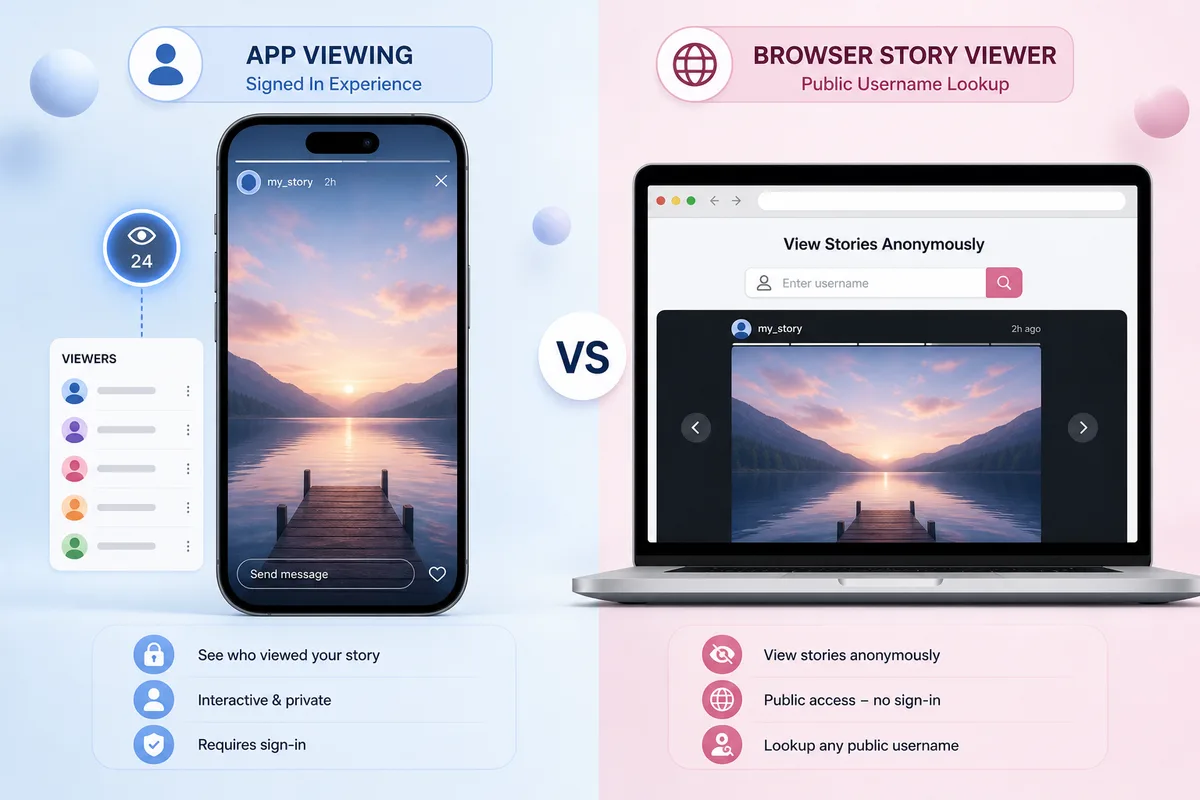
App = social identity and viewer lists. Browser public viewer = quieter public checks.
If no public Stories appear when you look someone up, that is often correct — see no stories showing troubleshooting.
Privacy tips if you care who sees
Want fewer unexpected viewers? Tighten the audience before you post:
- Prefer a private account if your Stories should stay limited
- Review Story audience / privacy options in TikTok settings
- Avoid posting sensitive moments to a fully public Story
- Remember screenshots are still possible even with a short lifespan

Audience settings decide who can open the Story — and therefore who can appear as a viewer.
For boundaries on public vs private content, read public vs private TikTok stories. For scam “private unlock” sites, see private TikTok story viewer.
Common myths
| Myth | Reality |
|---|---|
| “A website can show me every secret viewer forever.” | Your live list is in the app; expiry ends that window. |
| “Anonymous tools put fake names on my list.” | Legitimate public viewers are not built to invent your viewer list. |
| “If the count looks high, the list is broken.” | Public Stories can reach people you do not personally know. |
| “I can check viewers after the Story disappears.” | Once expired, that live Story list is gone with the tray item. |
For quieter public checks on other accounts, start on tikstoryview.com with a public username — and keep expectations honest: public + active only.
FAQ: Who viewed my TikTok story?
Clear answers about TikTok story viewer lists and anonymous checks.
Can I see who viewed my TikTok story?
Yes, for your own live Stories in the TikTok app. Open the Story, then open the viewer list TikTok shows for that update.
Do anonymous story viewers appear on my list?
Browser tools that do not use a TikTok login are not designed to place a TikTok profile on your in-app viewer list. Signed-in app views still can.
How long does the viewer list stay available?
Usually while the Story is live (about 24 hours). After expiry, that Story’s public tray — and its live viewer list — go away with it.
Can I see viewers on someone else’s Story?
No. Viewer lists are for the account that posted the Story, not for people watching other creators.
Why is my view count higher than names I recognize?
Public Stories can reach people outside your close friends. Also, some views may not show a familiar handle if settings, timing, or app behavior differ.