


Does a TikTok Story Viewer Notify the Creator?
Find out whether a TikTok story viewer tells creators you watched. Learn how viewer lists work, and when anonymous public checks stay quieter.
Published
Curious if a TikTok story viewer alerts the creator? Short answer: a browser tool is built for quieter public checks. Still, the details matter. So let’s walk through them clearly.

Left: signed-in app viewing can feed a viewer list. Right: a browser TikTok story viewer is built for public lookups without your TikTok login.
First, how TikTok story views usually work
Inside the TikTok app, stories feel social. You open a story while signed in. Then your account can show up in that creator’s viewer list — TikTok documents how creators see who viewed a Story. That is normal platform behavior. In other words, the app connects the view to your profile.
Next, what a TikTok story viewer does differently
A web TikTok story viewer works another way. You do not sign into TikTok on the tool. Instead, you enter a public username. Then the site looks for active public stories. On Tik Story View, that is the whole flow.
Because you are not presenting your TikTok profile through the viewer, the tool is not designed to place your account in the creator’s in-app viewer list. However, “anonymous” still has limits. It does not make the whole internet invisible. And it never unlocks private content.
So, will the creator know?
For most people, the practical question is simple: Will my TikTok username appear after I use a story viewer?
With Tik Story View, you are not required to log in. Therefore, the experience is not built to attach your TikTok identity to the view. Meanwhile, if you open the same story inside the signed-in TikTok app, your profile can still appear as usual.
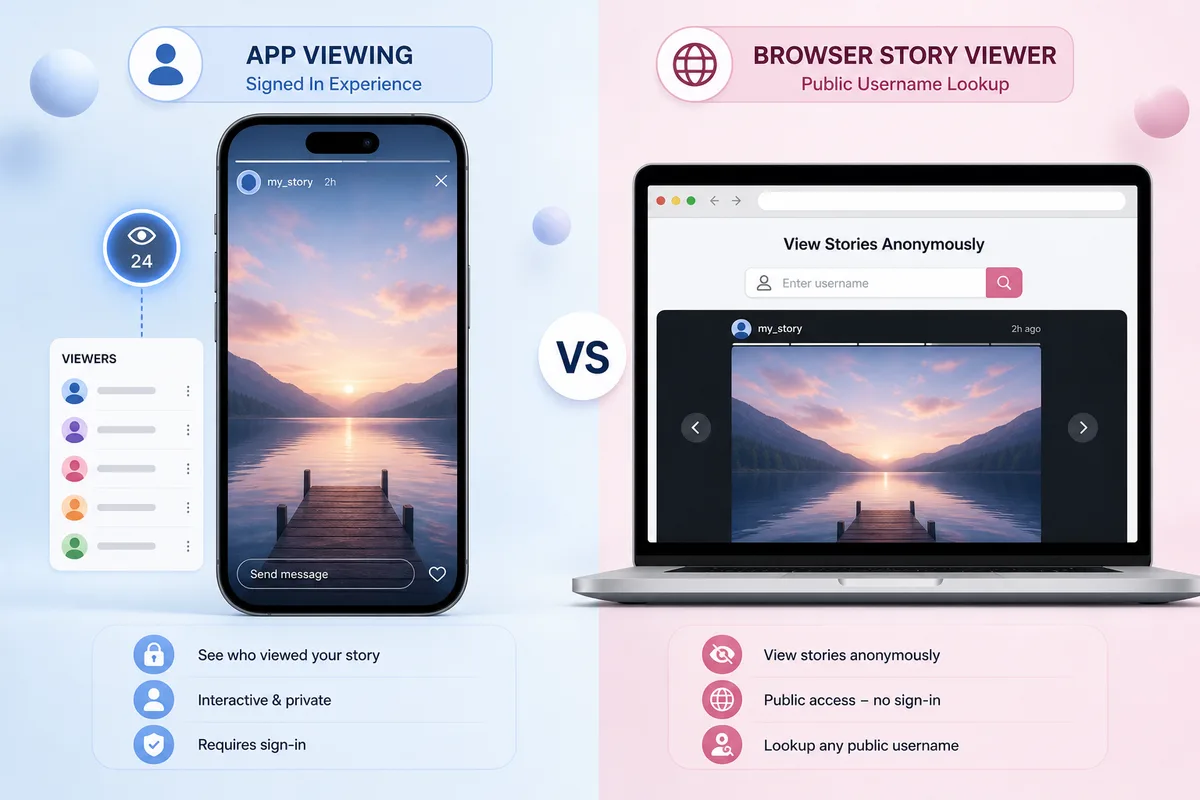
Use the app when you want full social features. Use a browser viewer for a fast public check.
Also remember these boundaries
Even with a quieter workflow, a few rules stay firm:
- Public stories only
- No private-account bypass
- No expired-story recovery
- No harassment or stalking
If a profile is private, leave it alone. A trustworthy TikTok story viewer respects that line. For more on access limits, see public vs private TikTok stories and why a private TikTok story viewer cannot unlock locked accounts.
When quiet viewing makes sense
People often want a lighter check. For example, marketers review public competitor creative. Journalists confirm a public update. Friends browse without mixing every visit into their main account. In those cases, a browser TikTok story viewer is useful.
Still, choose the app when you want to reply, react, or join the conversation. A viewer is a research shortcut, not a full social replacement. Compare both options in TikTok story viewer vs the app.
How to try it safely
- Open tikstoryview.com.
- Enter the exact public username.
- Open the viewer page.
- Watch active public stories if they load.
- If nothing appears, try later. Stories expire.
Want the full anonymous walkthrough? Read how to view TikTok stories anonymously. For safety basics, see safety tips for anonymous TikTok story viewers.

Story players use progress bars and tap controls. The goal stays simple: preview what is live and public.
Bottom line
Does a TikTok story viewer notify the creator the same way the app does? Generally, no. Browser tools like Tik Story View avoid signing you into TikTok. As a result, they are not designed to drop your profile into the in-app viewer list.
However, stay ethical. Stick to public stories. Respect privacy. And use quiet viewing for convenience, not for harm.
Ready to check a public handle? Start on Tik Story View whenever you need a fast, clear lookup.