


How to Delete a TikTok Story (Step-by-Step Guide 2026)
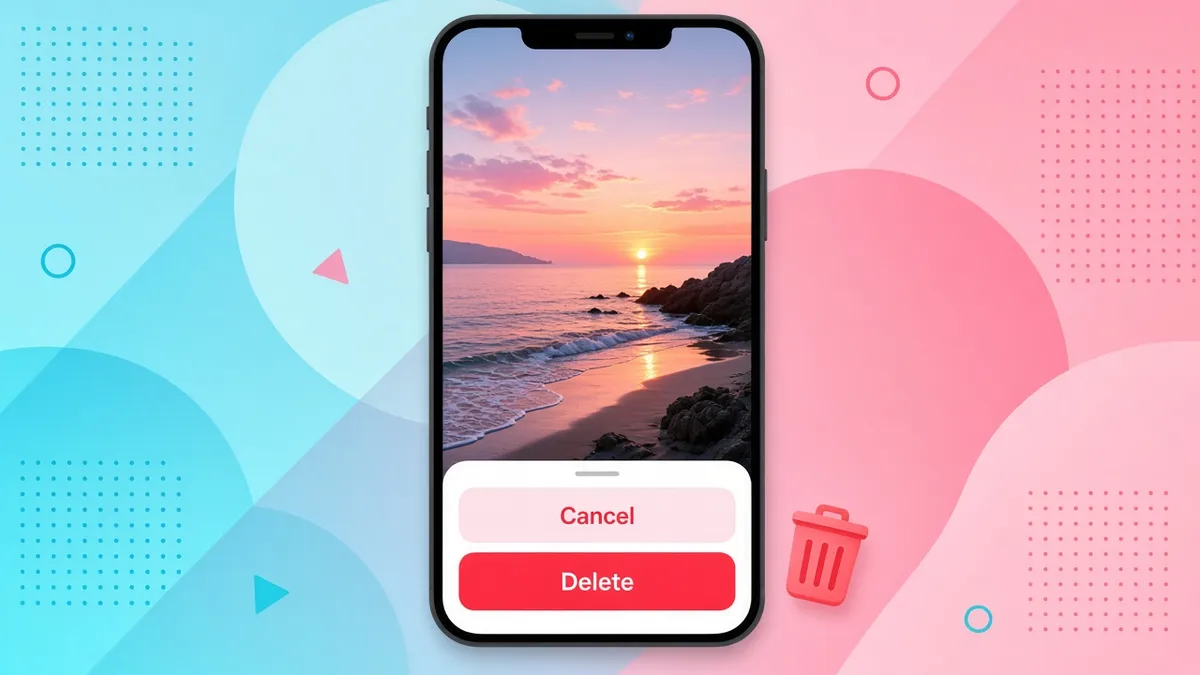
Posted a TikTok Story by mistake? Don’t panic. You can delete it in under a minute. First, open your Story. Next, swipe up. Then tap Delete and confirm.
Published
On this page
Below, you will find the full steps, plus fixes for common problems.
I have tested these steps on both iPhone and Android. I also checked them against TikTok’s official Help Center, so you can trust this guide.
Why Delete a TikTok Story?
People remove Stories for many reasons. For example:
- You posted the wrong photo or video.
- You spotted a typo or a bad edit.
- You shared something too personal.
- You simply changed your mind.
Normally, a TikTok Story disappears after 24 hours. However, you do not have to wait. You can remove it right now.
How to Delete a TikTok Story (Quick Steps)

Open your Story, swipe up, then tap Delete and confirm.
Follow these six steps. They work on most phones.
- Open the TikTok app. Make sure you are logged in to the right account.
- Go to your profile. Tap the Profile icon at the bottom right.
- Open your Story. Tap your profile picture. It will have a colored ring when your Story is active.
- Swipe up on the Story. A menu will appear.
- Tap Delete. You will see this option in the menu.
- Confirm. Tap Delete again when TikTok asks you to be sure.
Quick path: TikTok → Profile Picture → Open Story → Swipe Up → Delete → Confirm
Your Story will then be removed. It is that simple.
How to Delete a TikTok Story on iPhone
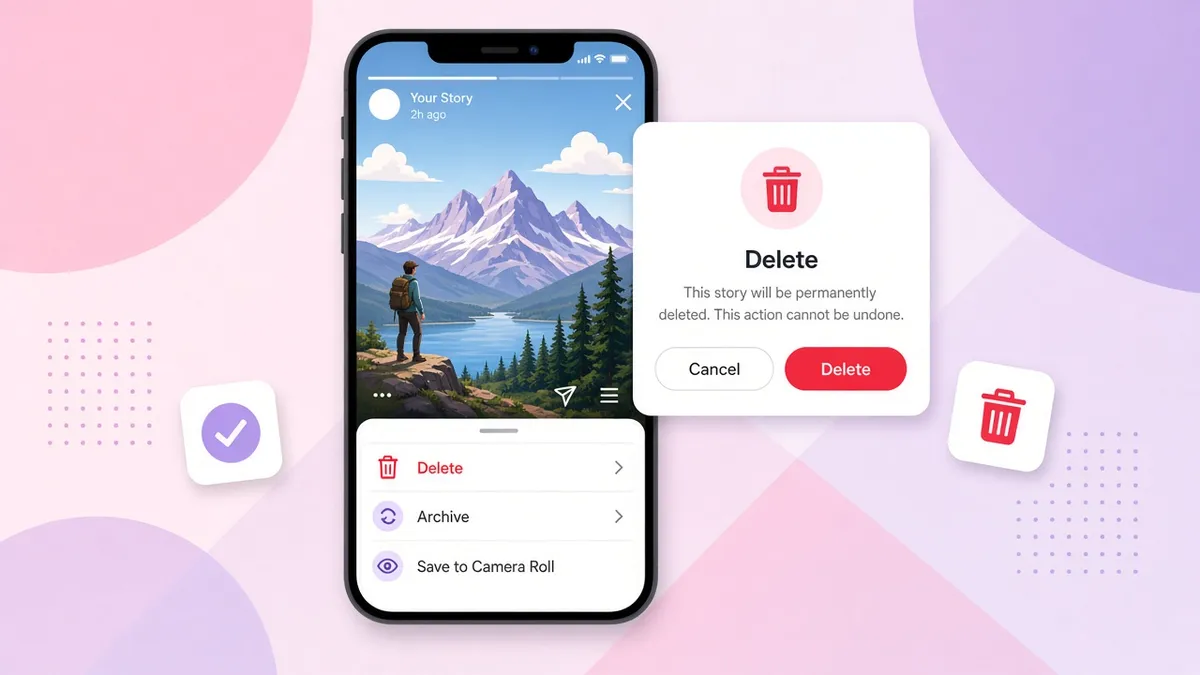
On iPhone, open your Story, swipe up, tap Delete, then confirm.
The steps on iPhone are easy. Besides that, the screens are clean and clear.
- Open TikTok on your iPhone. Update the app first if it is old.
- Find your active Story. Go to your profile and tap your picture.
- Swipe up. This opens your Story controls.
- Tap Delete. Look for it in the menu.
- Confirm. Tap Delete once more to finish.
Tip: Wait until the Story has fully loaded. Otherwise, the menu may not show up.
How to Delete a TikTok Story on Android
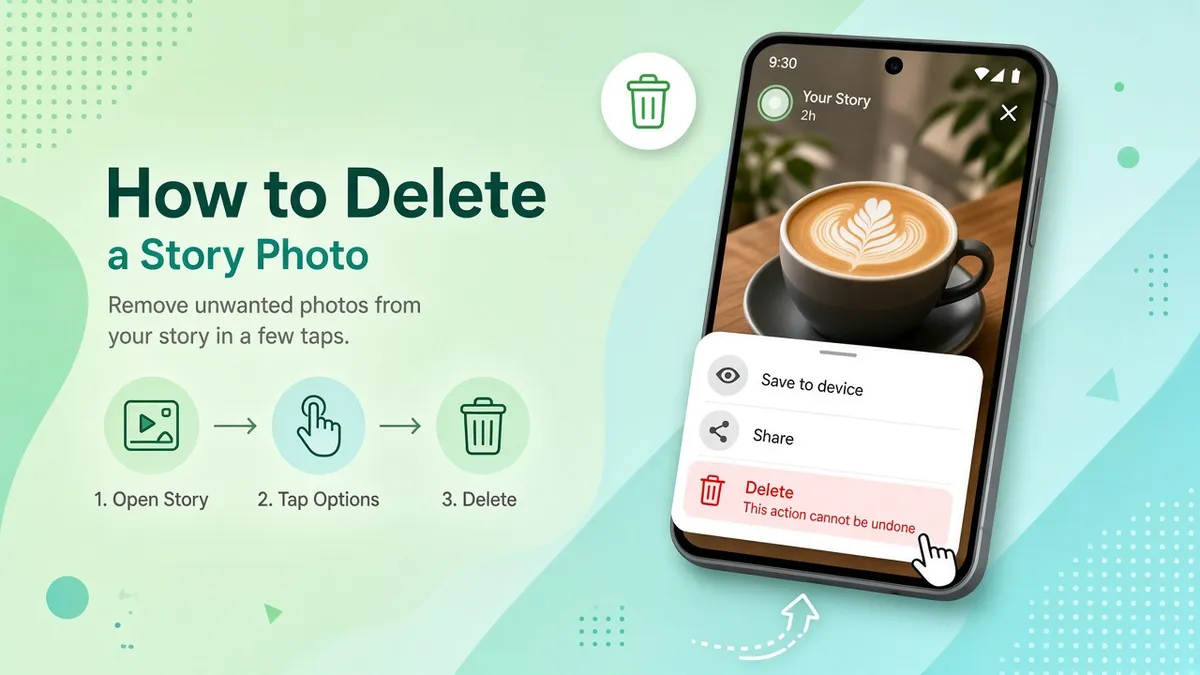
On Android, open your Story, swipe up, then confirm Delete.
The process is almost the same on Android. In fact, only small design details change.
- Open your TikTok profile. Tap the Profile tab.
- Select the Story you want to remove. Tap your profile picture.
- Swipe up. The delete option will appear.
- Confirm the deletion. Tap Delete when asked.
Some Android phones look a little different. Still, the steps stay the same.
Another Way to Delete a TikTok Story

If swipe-up fails, open Share and choose Delete.
Sometimes the swipe-up gesture does not work. In that case, use the Share menu. TikTok’s Help Center lists this as a second method.
- Open your active Story.
- Tap the Share button.
- Select Delete from the options.
- Confirm your choice.
This method helps a lot when you cannot find the swipe-up controls. As a result, it is a good backup to remember.
Can You Delete a TikTok Story Before 24 Hours?
Yes, you can. TikTok does not make you wait. A Story stays visible for 24 hours. But you can delete it manually at any time while it is active.
This matters for a few reasons:
- You can fix a mistake right away.
- You can limit how many people see it.
- You stay in control of your profile.
So, if you spot a problem, act fast.
What Happens When You Delete a TikTok Story?
Many people ask this before they tap Delete. Here is what I can tell you with confidence.
Does the Story Disappear Right Away?
Yes, in most cases. Once you confirm, the Story is removed from your profile. Sometimes it takes a moment to refresh. Therefore, close and reopen the app if you still see it.
Can People Still See It?
After deletion, other people can no longer open the Story from your profile. Even so, someone may have already watched it. Also, a viewer could have taken a screenshot or recorded their screen. TikTok cannot erase those copies. So, think before you post.
Will TikTok Notify Your Followers?
I have not seen TikTok send a public alert when a Story is removed. Still, anyone who watched it earlier may remember it. Because of that, quick action is best.
What Happens to Views and Reactions?
TikTok shows view counts and viewer details for active Stories. After you delete the Story, you should not expect to review that data later. If you want to check your views, do it before you delete. For more on viewer lists, see who viewed my TikTok Story.
Can You Restore a Deleted Story?
I could not find any official way to restore a deleted Story. For that reason, be careful. Always check which Story you are removing before you confirm. If you want to keep a copy, save the video to your phone first.
Why Can’t I Delete My TikTok Story?
Sometimes the Delete option does not show up. Don’t worry. Here are the most common causes and fixes.
The Delete Option Is Missing
First, make sure you opened your own Story. You cannot delete someone else’s Story. Then, try the Share menu method instead.
Your Story Is Still Uploading
A Story that is still uploading may not show every option. So, wait until the upload finishes. After that, try again.
You Are Using the Wrong Account
Many people have more than one TikTok account. Check your username at the top of your profile. Then switch accounts if needed.
Your TikTok App Is Outdated
Old versions can hide features or cause bugs. For this reason, update TikTok from the App Store or Google Play.
Temporary App or Internet Problems
Slow internet can stop the menu from loading. Try these quick fixes:
- Check your Wi-Fi or mobile data.
- Close the app fully and reopen it.
- Restart your phone.
- Log out and log back in.
If you still have trouble, contact TikTok support through the app.
How to Delete a TikTok Story Without Deleting Your Account
This is a common worry. Fortunately, the answer is simple. Deleting a Story and deleting an account are two different things.
- Deleting a Story removes only that one Story.
- Your profile, videos, and followers stay safe.
- You never need to delete your account to remove a single Story.
So, you can relax and delete with confidence.
Final Thoughts
Deleting a TikTok Story is quick and painless. To sum up:
- Open your Story.
- Swipe up and tap Delete.
- Confirm your choice.
- Use the Share menu if swipe-up fails.
Remember, you can remove a Story at any time before the 24 hours end. Above all, double-check the Story before you confirm. After all, deleted Stories are hard to bring back.
Now you know exactly what to do. Next time you post by mistake, you can fix it in seconds. For related guides, learn how to view TikTok Stories anonymously or download TikTok Stories.
FAQ: How to delete a TikTok Story
Quick answers about deleting Stories early, recovery, notifications, and common problems.
Can I delete a TikTok Story right after posting it?
Yes. Open the Story, swipe up, and tap Delete. You can do this seconds after you post.
Can I delete a TikTok Story after 24 hours?
You usually do not need to. Stories expire on their own after 24 hours. After that, they are no longer active.
Can I delete one Story without deleting the others?
Yes. You choose the exact Story you want to remove. The rest stay untouched.
Does TikTok notify someone when I delete a Story?
I have not seen any public notice sent to followers. However, people who already viewed your Story may still remember it.
Can I recover a deleted TikTok Story?
There is no official recovery option that I could confirm. For this reason, save a copy first if you might need it.
Can I delete a TikTok Story from a computer?
TikTok Stories are mainly managed in the mobile app. So, the phone method is the safest and easiest choice.
Can I delete a TikTok Story without opening it?
No. You need to open your Story first. Then you can use the swipe-up or Share menu method.
Does deleting a Story remove it from the For You feed?
Stories can show up in places like your profile, the Inbox, and feeds. Once you delete a Story, it is removed from your account. It should stop appearing for other people too.