


A TikTok profile viewer lets you open a public TikTok profile in your browser. You do not need an account. You do not need to log in. You just type a username and look.
This is handy for many people. Maybe you want to check a creator before you follow them. Maybe you want to see a brand’s page. Or maybe you just do not want another app on your phone.
Sur cette page
What Is a TikTok Profile Viewer?
It is an online tool. It shows the public part of a TikTok account. In other words, it shows what anyone can already see on the open web.

Think of it like a window. You can look in, but you cannot walk through the door. Private content stays private.
How Does a TikTok Profile Viewer Work?
The tool is simple. First, you enter a username or a profile link. Then, the tool looks up that public page. After that, it shows the profile details on your screen. You can also view profile story from the tool.
The tool only reads public data. It does not need your TikTok password. Therefore, it should never ask for one. If a site asks for your password, leave right away.
What Can You See With a TikTok Profile Viewer?
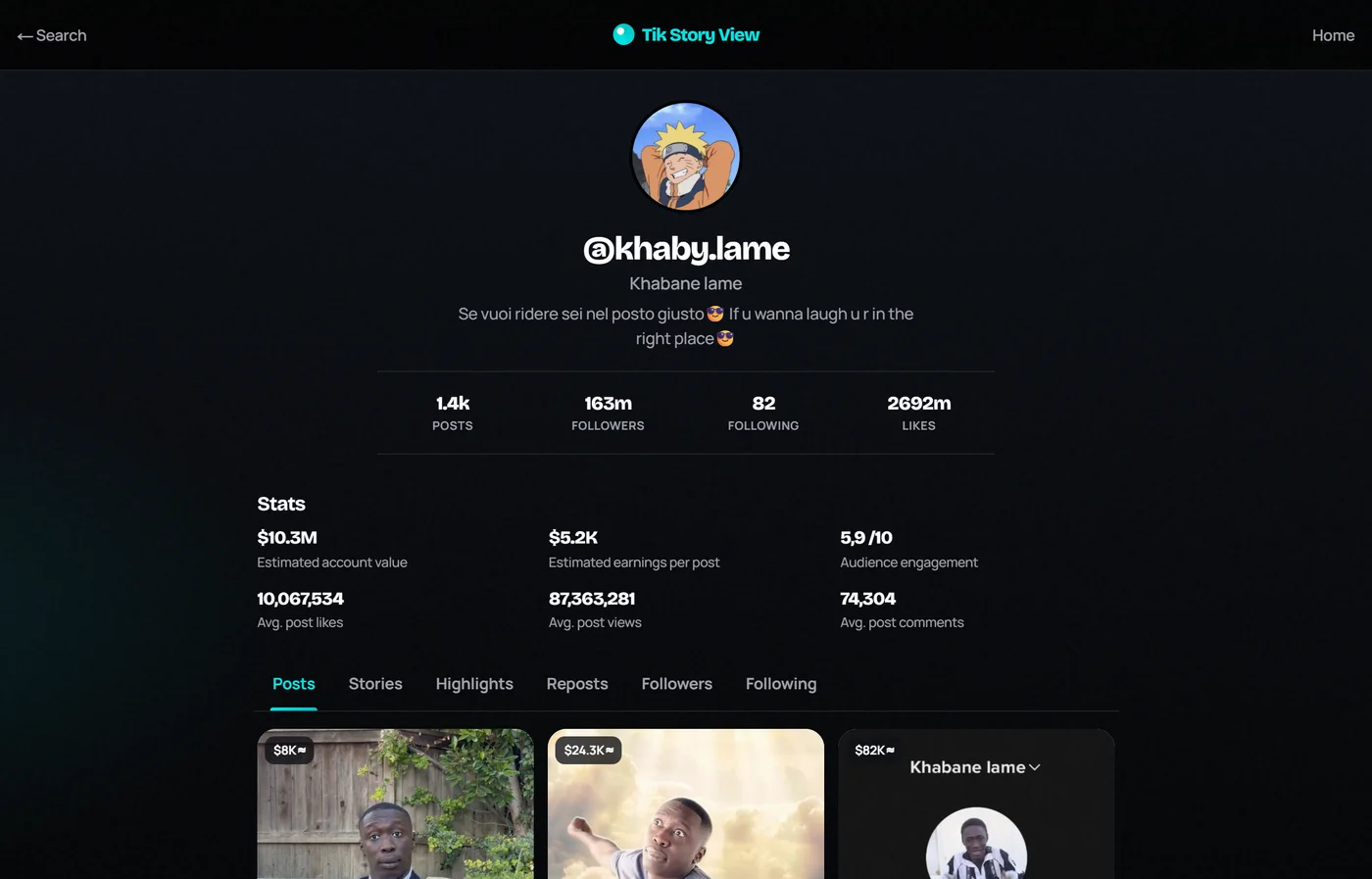
On Tik Story View, a public profile opens as a full browser page. The screenshot below shows a real lookup for a public creator. Here is what that screen shares when TikTok exposes the data publicly.

- Profile identity: profile picture,
@username, display name, and the public bio - Core counts: posts, followers, following, and total likes
- Account stats: estimated account value, estimated earnings per post, audience engagement, and averages for likes, views, and comments
- Content tabs: Posts, Stories, Highlights, Reposts, Followers, and Following when those surfaces are public
- Public post grid: video thumbnails from the profile, often with quick per-post estimates
Private accounts stay closed. If something is missing, TikTok may not be sharing that field publicly at the moment — the viewer only shows what is already available on the open web.
How to View Any TikTok Profile Without Login
This takes less than a minute. Here is the process I follow every time.
Step 1: Find the TikTok Username
First, you need the exact username. It usually starts with an at sign. For example, it may look like @username.
You can find it in a few places:
- On the creator’s other social media pages
- On a shared TikTok link
- On a brand’s website or business card
Spelling matters here. One wrong letter will bring up a different account or no result.
Step 2: Enter the Username or Profile Link
Next, open the viewer in your browser. Then, paste the username or the full profile link into the search box above. Both usually work.
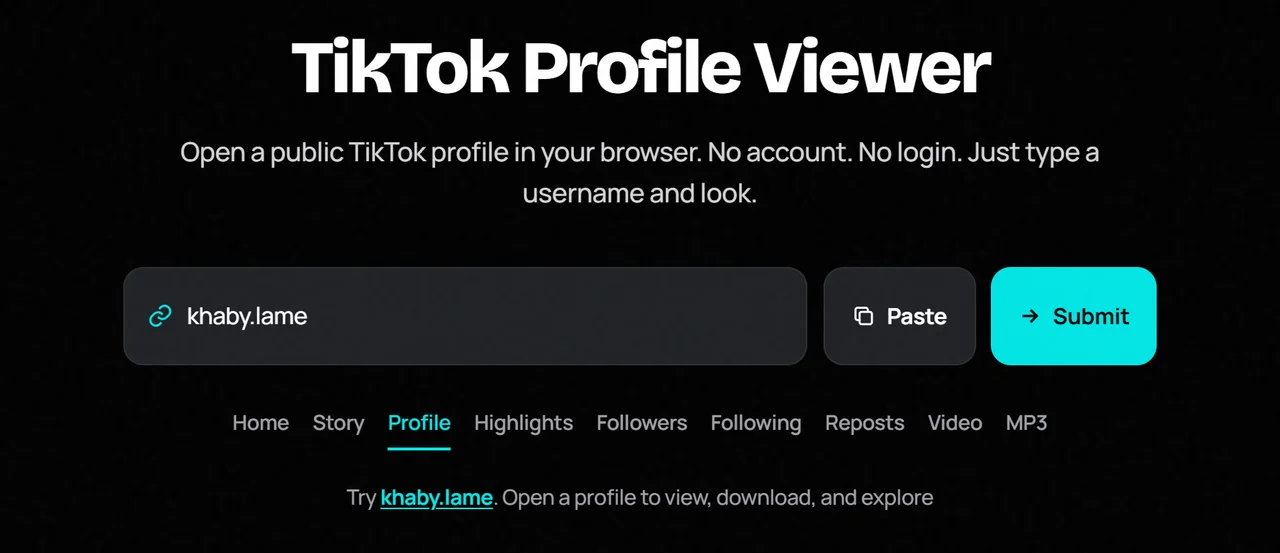
Step 3: Search for the TikTok Profile
Now, tap the search button. The page will load the public profile. This often takes a few seconds.
Step 4: Browse Available Public Profile Information
Finally, scroll through the results. You can read the bio, check the counts, and look at public videos. If something does not load, do not worry. I cover fixes later in this guide.

What Can You View Using Our TikTok Profile Viewer?
Let me break down each part. This way, you know what to expect.

View TikTok Profile Pictures in Full Size
On the app, the profile picture is tiny. It is also hard to zoom in. A viewer can show it in a larger size. As a result, you can see the face, logo, or design much more clearly.
This helps when you want to confirm a brand logo. It also helps when you want to check if an account is real.
Check TikTok Followers and Following
You can see the public follower count. You can also see how many accounts a person follows. These numbers give you a quick sense of size.
However, numbers alone do not tell the full story. A large count does not always mean a real audience. So, look at the videos and the comments too.
Explore Public TikTok Videos
Many viewers show video thumbnails and public posts. Because of this, you can get a feel for the content fast. You can see the style, the topics, and how often the person posts.
Some tools let you watch the videos. Others only show a preview. It depends on the tool.
View TikTok Bio and Account Information
The bio is a short text under the name. It often says who the person is and what they do. In addition, it may hold a link to a website or another page.
For business research, the bio is gold. It tells you the niche, the contact method, and the brand tone.
Find TikTok Usernames and Display Names
A username and a display name are not the same thing. The username is unique. The display name can be anything, and many people share the same one.
For this reason, always trust the username when you look for someone.
How to View TikTok Profiles Anonymously
Privacy is the top reason people use these tools. So, let me explain it clearly.
Can You View TikTok Profiles Without an Account?
Yes, for public profiles. TikTok lets people open many public pages on the web. A viewer tool makes this even easier. Still, TikTok may change what it shows to logged-out visitors. Therefore, results can vary over time.
Does TikTok Notify Users When You View Their Profiles?
TikTok has a feature called profile view history. When it is on, people can see who visited their profile. But there is a catch. It only works for logged-in users. Also, both people must have the feature turned on.
So, if you are not logged in, you will not appear in someone’s list.
Profile Views vs. Anonymous Profile Browsing
These two ideas are different. Let me make it simple:
- Profile views are records made by logged-in users inside the app.
- Anonymous browsing means you look without an account, so no record is tied to a name.
Because a viewer needs no login, it has no account to record. That is the main idea.
Does Using a Third-Party Profile Viewer Hide Your Identity?
It hides you from the other person’s profile view list. However, it does not make you invisible everywhere. The viewer site itself may see your IP address, like any website does. For that reason, read the privacy policy of any tool you use.
I never promise perfect anonymity. No honest tool can.
TikTok Profile Viewer vs. TikTok App
Here is a quick comparison. It shows where each option works best.
| Feature | TikTok Profile Viewer | TikTok App |
|---|---|---|
| Browse public profiles | Yes, if supported | Yes |
| Requires TikTok login | No | Some browsing may require login |
| View public videos | Depends on tool | Yes |
| View profile pictures | Depends on tool | Yes |
| Private profile access | No | Only with permission |
| Anonymous browsing | Depends on tool | Subject to TikTok settings |
| Install an app | No, for web tools | Yes, for the app |
In short, a viewer is great for quick, light checks. The app is better for full features like comments, likes, and messages.
Can You View Private TikTok Profiles Without Following?
No. This is the part where many sites tell lies. I want to be very clear here.
Public vs. Private TikTok Accounts
A public account is open to everyone. A private account is not. The owner picks who can see the videos.
Why Private TikTok Profiles Cannot Be Viewed
TikTok protects private content. It does not give that data to outside tools. As a result, no honest viewer can open a private account. Any tool that says it can is either fake or unsafe.
How to Request Access to a Private TikTok Account
The only real way is to ask. Here is how:
- Log in to TikTok
- Open the private profile
- Tap the follow button
- Wait for the owner to approve you
That is it. There is no secret trick.
Are Private TikTok Profile Viewer Tools Legitimate?
No, they are not. Many of them are scams. They may ask you to fill out surveys, install files, or share your login. Avoid them completely.
How to Find Someone on TikTok Without an Account
Sometimes you do not know the exact username. In that case, try these methods.
Search TikTok Using a Username
If you have the username, type it into the viewer. This is the fastest way.
Open a TikTok Profile Link
If someone shared a link with you, paste the whole link into the search box. Many tools can read it.
Search for TikTok Users Through Google
Google can also help. Type the person’s name plus the word TikTok. Then, check the top results. Often, the public profile shows up there.
Find Someone Using Their Display Name
A display name is harder to use. Many people share the same one. Still, you can add clues like a city, a job, or a brand name. This narrows the search.
Benefits of Using an Online TikTok Profile Viewer
Why do people like these tools? From what I have seen, these are the main reasons.
No TikTok Account or Login Required
You skip sign-up. You skip passwords. You also skip the emails and pop-ups.
Access Public Profiles From Any Device
A viewer runs in a web browser. So, it works on a phone, tablet, or computer. It works on iPhone and Android alike.
No App Installation Needed
Your phone storage stays free. Besides that, you avoid extra permissions that apps often ask for.
Quick and Simple Profile Search
You type a name and get a result. There is no long menu to learn.
Convenient Way to Explore Public Content
It is a calm way to look around. For example, you can research a creator, check a brand, or confirm that an account is real.
Is It Safe to Use a TikTok Profile Viewer?
It can be safe. But you must be smart. I follow a few simple rules, and I suggest you do the same.
Choose a Trusted Online Profile Viewer
Pick a site that looks clean and clear. It should explain what it does. It should also have a privacy policy and a way to contact the team. If a site feels sloppy or pushy, skip it.
Never Share Your TikTok Password
A public profile viewer does not need your password. Not now, not ever. If it asks, close the page.
Avoid Suspicious Downloads and Extensions
A good viewer works right in the browser. Hence, you should not need to install a file or an add-on. Be careful with any site that pushes you to download something.
Understand Public Profile Data and Privacy
Public means public. Anyone can see this data. Even so, it is wise to use it with respect. Do not use it to bother or track people.
Does a TikTok Profile Viewer Store Personal Information?
This depends on the site. Some store basic logs, like search terms and visit data. Others store very little. Always read the policy before you use a tool often.
TikTok Profile Viewer Not Working? Common Problems and Fixes
Sometimes a lookup fails. Do not panic. Most problems have an easy fix.
Incorrect TikTok Username
This is the most common issue. Check each letter. Also check for dots and underscores, because they matter.
Profile Does Not Appear in Search Results
Try the full profile link instead of the username. If that fails, wait a minute and try again.
TikTok Profile Is Private or Unavailable
The account may be private, banned, or deleted. In this case, no tool can show it.
TikTok Has Restricted Public Content Access
TikTok sometimes limits what outside tools can read. When this happens, some details may be missing for a while. Usually, it is a short problem.
Slow Loading or Connection Problems
Check your internet first. Next, refresh the page. If it still lags, switch to another browser or device.
Final Thoughts
A TikTok profile viewer is a simple way to look at public profiles. You get the profile picture, bio, counts, and public videos. You also skip the login and the app.
Still, keep your expectations real. Private accounts stay private. Also, perfect anonymity is never guaranteed. If you remember these two points, you will use any viewer the smart way.
So, try it with a public username today. Then, compare what you see with what you expected. It only takes a minute.