


What Is a TikTok Story Viewer?
Learn what a TikTok story viewer is, how it works, and why people use anonymous tools like Tik Story View to watch public stories.
Published Updated
On this page
A TikTok story viewer is a web tool that helps you watch public TikTok stories without opening them inside a signed-in TikTok account. Stories are short photos or videos that usually disappear after about 24 hours (TikTok Help Center). Inside the official app, viewing a story can add your profile to the creator’s viewer list. A TikTok story viewer gives people another option: preview public story content through a browser.
This page explains what a story viewer is, what honest tools can and cannot do, how the flow works on Tik Story View, and how to spot overpromising sites.
What a TikTok story viewer is

Stories are short-lived updates. A browser story viewer mirrors that format for public, active content.
Think of a story viewer as a focused browser workflow:
- You provide a public username or profile link
- The tool checks for currently active public stories
- If stories exist, you watch them in a story-style player
- Optionally, you download public media when the product supports it
It is not TikTok itself. It does not replace the full For You feed, DMs, or creator tools. It is a narrow utility for public story checks — which is why search terms like “TikTok story viewer” and “how to view TikTok stories anonymously” stay popular.
Why these tools exist
TikTok stories are built for speed. Creators post quick updates, behind-the-scenes clips, and time-sensitive moments. Viewers often want to check those updates quietly, for research, curiosity, or convenience, without:
- Switching accounts on a personal phone
- Installing the app on every temporary device
- Leaving a footprint in every public story’s viewer list
That demand is why browser-based viewers appeared. A good workflow is short: username or link in, public stories out, optional download, no TikTok login required on the viewer site.
What it can and cannot do
What a trustworthy TikTok story viewer can do
- Preview public stories that are currently live
- Work in a desktop or mobile browser
- Support exact username or profile URL input
- Show a clear empty state when nothing public is available
- On Tik Story View: open related public profile tools (posts, highlights, reposts, lists when public) and downloads when media is available
What it cannot do
- Unlock private accounts
- Open friends-only or otherwise restricted stories
- Recover expired stories that TikTok has already removed
- Guarantee every username you type exists or is spelled correctly
If a site promises “any private story anytime,” be cautious. Private content should stay private. See public vs private TikTok stories and private TikTok story viewer.
How a browser viewer works

Typical path: enter a handle, open the profile, then watch or download public media.
On Tik Story View the practical path looks like this:
Step 1 — Search
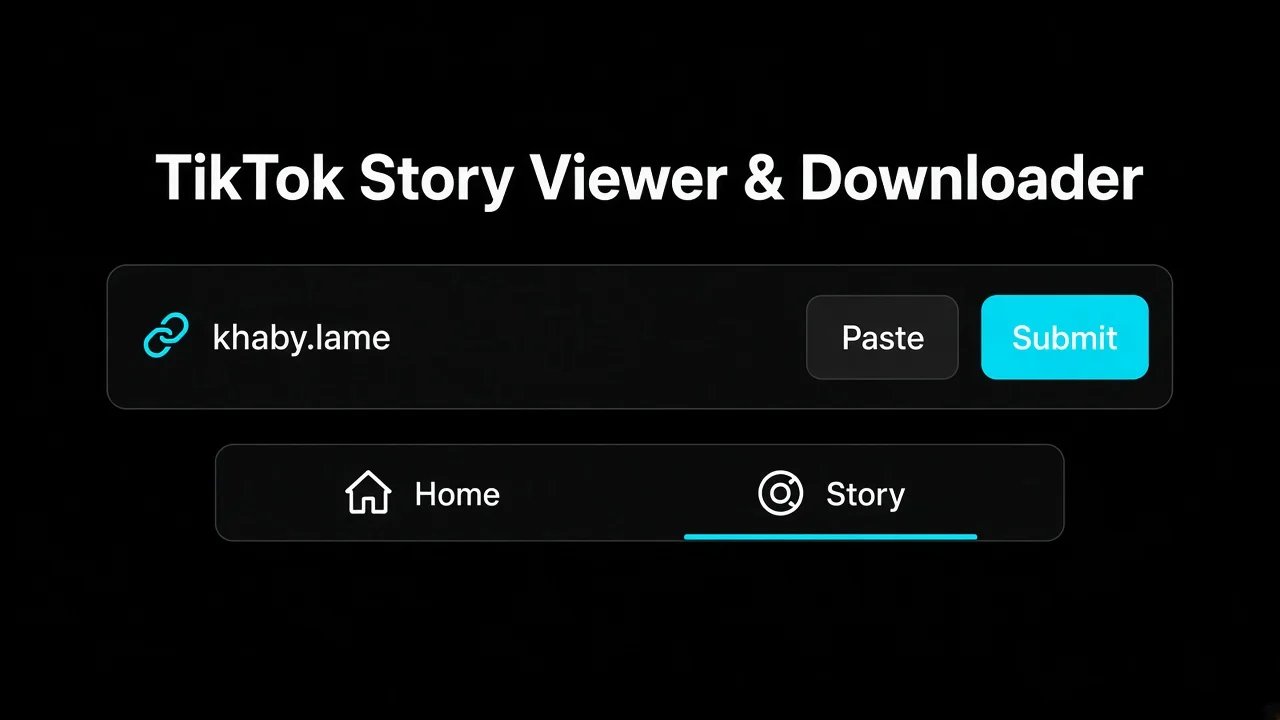
Open the homepage, type an @ handle or paste a TikTok profile link, then search.
Step 2 — Confirm the profile
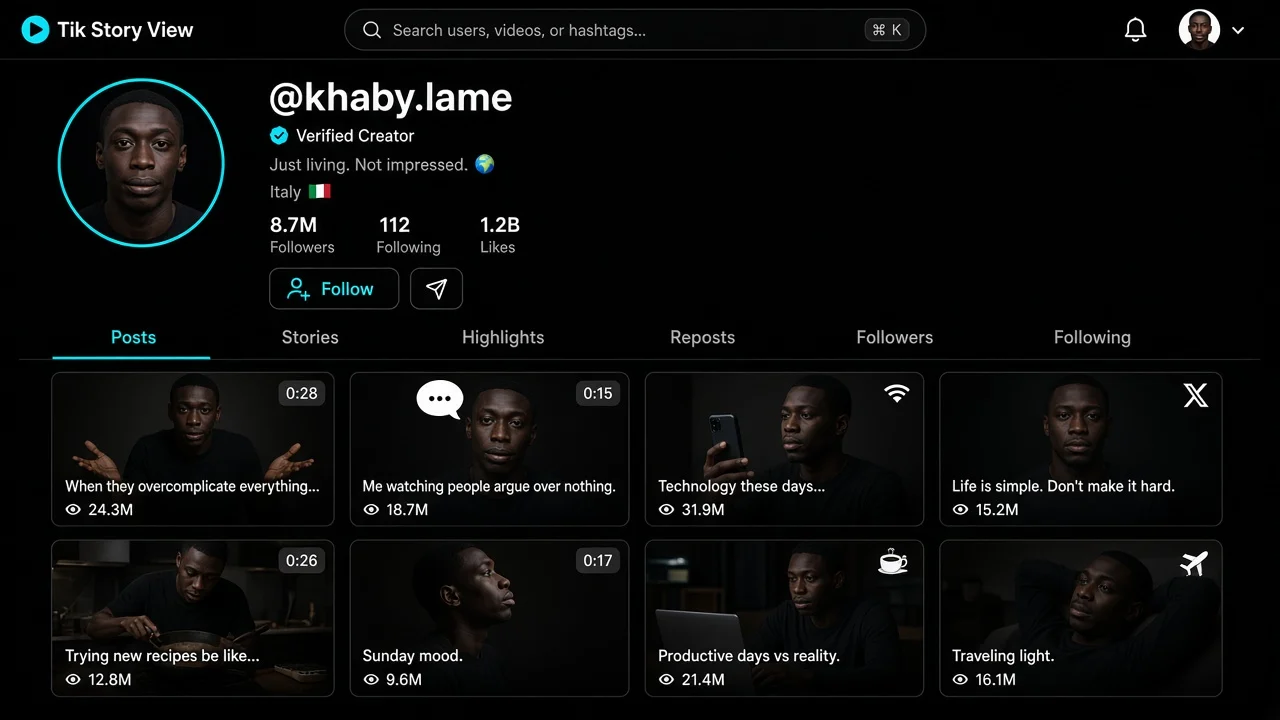
Land on the public profile view. Confirm you have the right creator before opening stories.
Step 3 — Watch or download
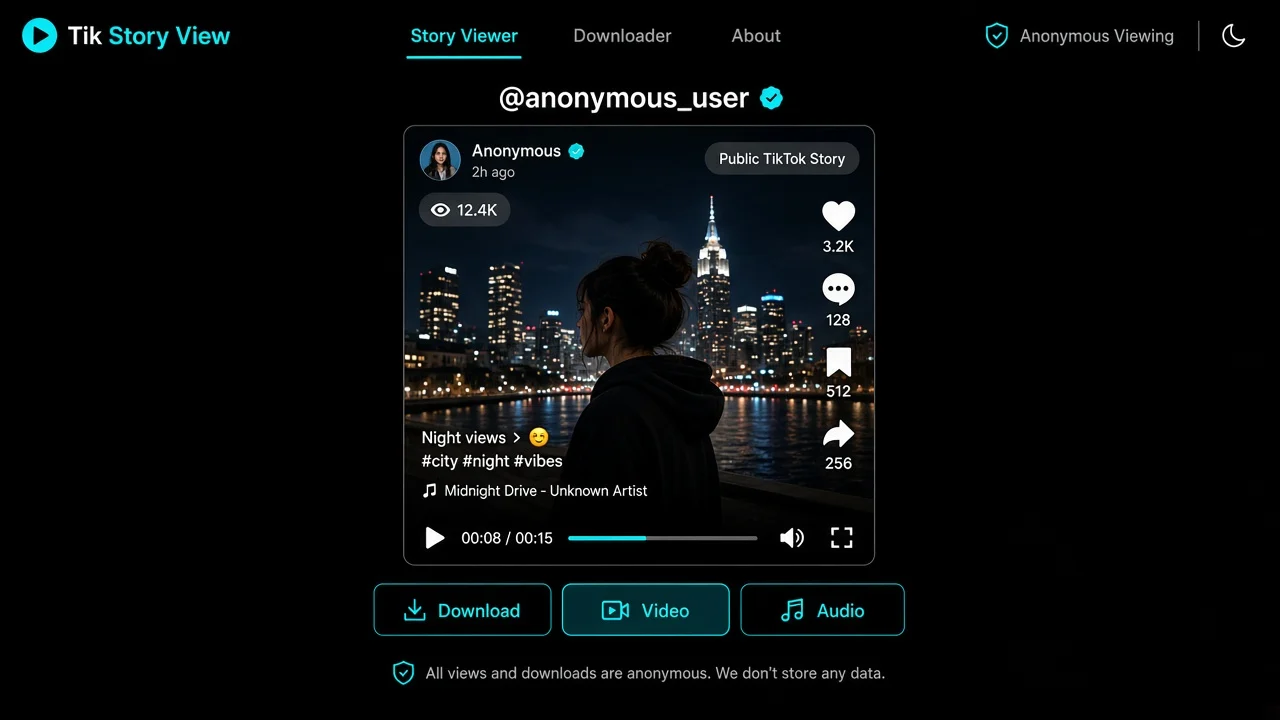
Open live stories (or other public media) and use download actions when you need a copy.
Under the hood, the important product rule is simple: public and live only. That keeps expectations honest and protects creators who chose private settings.
Who uses a story viewer
- People who want anonymous public story checks
- Social media managers reviewing public competitor creative
- Users on shared devices who prefer not to sign into TikTok
- Desktop users who want a browser workflow
- Anyone comparing the app vs a browser viewer for quick lookups
How to choose a trustworthy tool
Use this checklist before you trust a “TikTok story viewer” site:
- Clear limits — says public-only; does not sell private unlocks
- No password phishing — never asks for your TikTok password
- No shady installs — avoids forced unknown APKs for a “viewer”
- Honest empty states — admits when no stories are live
- Real product UI — shows search → profile → player, not only stock photos
Tik Story View is built around that standard: simple, honest, and limited to public content.
Story viewer vs related tools
Modern products often bundle more than a single story player. On Tik Story View, the same public profile lookup can lead to:
- Stories (the classic ephemeral tray)
- Posts and media downloads
- Highlights and reposts when public
- Followers / following lists when public
- Lightweight account stats
Those extras do not change the core definition. A TikTok story viewer still means “preview public stories in a browser.” The surrounding tools simply reduce tab-switching when you already looked up a public creator. Explore the TikTok profile viewer when that is your main job.
Stories, highlights, and expiry
Regular stories disappear quickly. Highlights are a different, longer-lived surface when a creator chooses to save them. Expired regular stories are not magically restored by a public viewer — see can you view expired TikTok stories. Mixing those concepts is a common source of frustration and a common way low-quality sites overpromise.
If your goal is “what did this public creator share in the last day,” use a story viewer promptly. If your goal is “what did they pin as a highlight,” use the highlights path instead of hunting an expired tray item.
Getting started on Tik Story View
- Go to tikstoryview.com
- Enter a public username or paste a profile URL
- Open the profile and look for active stories
- Watch in the player; download public media if you need it
- If results are empty, follow troubleshooting
What success looks like
Success is not “every username returns a story.” Success is an accurate outcome: the correct public profile, live stories when they exist, and a clear empty state when they do not. That accuracy is what separates a real TikTok story viewer from marketing pages that only show stock photos.
A good TikTok story viewer is easy to explain in one sentence: preview public stories in a browser without logging into TikTok on that site. That is the standard Tik Story View aims for.
FAQ: What is a TikTok story viewer?
Basics about TikTok story viewers and what to expect.
Is a TikTok story viewer the same as the TikTok app?
No. The app is the official platform. A story viewer is a browser tool focused on previewing public, currently active stories without requiring a TikTok login on that site.
Can a story viewer open private accounts?
A trustworthy viewer cannot. Private profiles and friends-only stories stay unavailable by design.
Do stories last forever in a viewer?
No. Stories are time-limited — usually about 24 hours — and expired stories are not restored by legitimate public tools.
Is Tik Story View free?
Yes. You can search a public username and open the viewer without creating a site account for basic public checks.
What should I enter — name or username?
Use the exact TikTok username (the unique @ handle) or paste a profile link. Display names are not unique.