


TikTok Stories vs Feed Posts: What's the Difference?
TikTok Stories and regular feed posts both hold short video, but they serve different jobs. Stories expire in about 24 hours. Feed posts stay on your profile until you remove them.
Published Updated
Creators often ask whether to post a TikTok Story or a normal feed video. The answer depends on how long you want the content to live, who should see it, and whether you care about long-term discovery.
Stories sit in the circular ring at the top of a profile and disappear after roughly 24 hours. Feed posts land in your main grid and keep playing for new visitors weeks later.
This guide compares both formats so you can pick the right one — and so viewers know what to expect when they open a public profile in a TikTok story viewer.
On this page
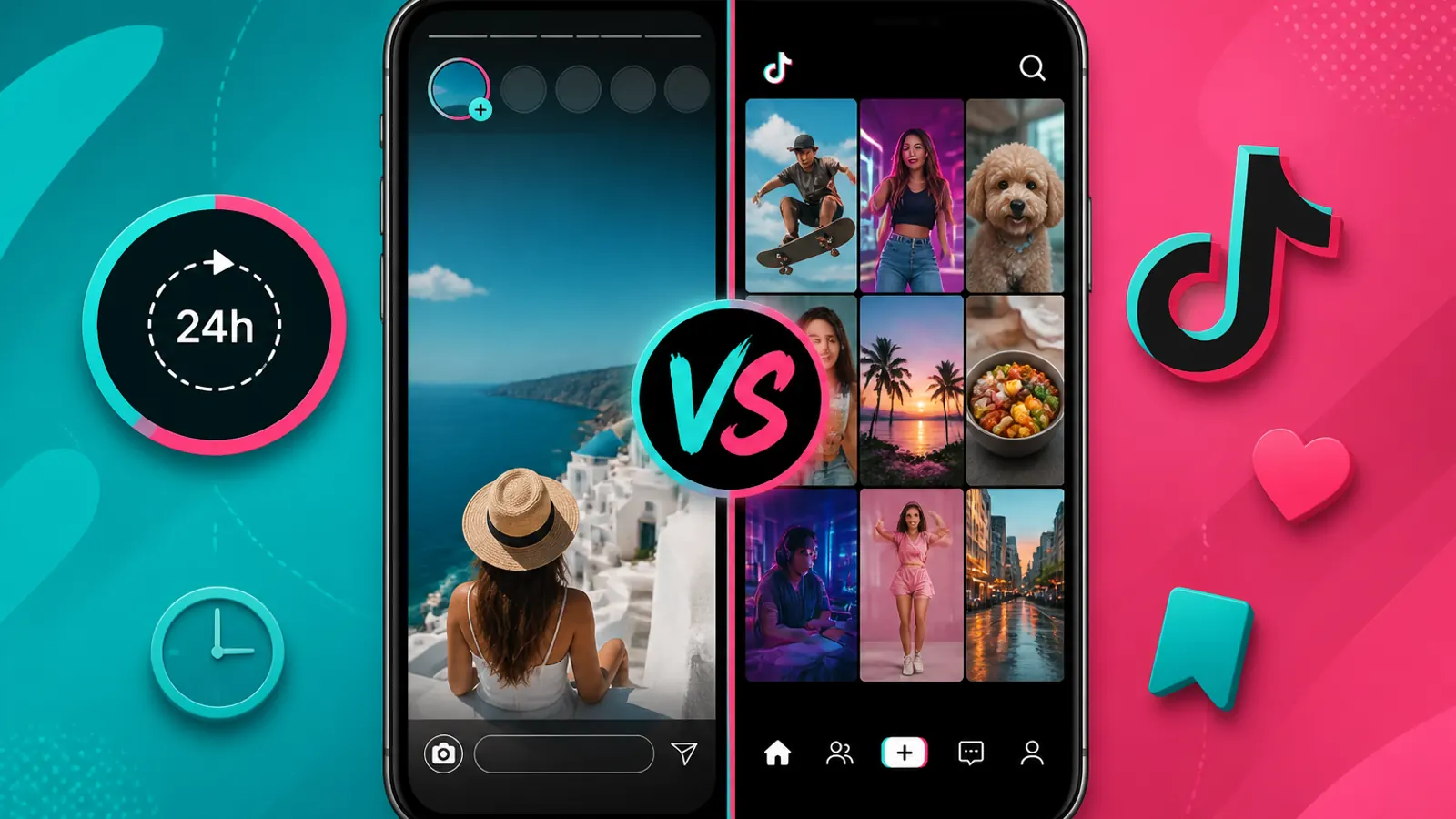
TikTok Stories live in the top ring for about 24 hours. Feed posts stay in the main profile grid.
Quick comparison
| Feature | TikTok Stories | Feed posts |
|---|---|---|
| Lifespan | ~24 hours | Until you delete |
| Location | Story ring at top of profile | Main profile grid |
| Best for | Casual, timely updates | Evergreen or searchable content |
| Discovery | Followers & profile visits | For You, search, shares |
| Viewer tools | Story viewer on tikstoryview.com | Not supported the same way |
What TikTok Stories are
TikTok Stories are short photo or video clips that appear in the circular ring around a profile picture. They feel lightweight. You do not need the same editing polish as a flagship feed video.
Stories also expire. After about 24 hours they leave the public tray — TikTok states Stories are shared for 24 hours. That short window is why many creators use Stories for behind-the-scenes clips, polls, or quick replies.
If you only want to watch public Stories, you can enter a username on tikstoryview.com without signing into TikTok. That workflow does not apply to regular feed videos the same way.
What feed posts are
Feed posts are the main TikTok videos on a profile grid. They stay visible until the creator removes them. People can like, comment, share, and save them.
Feed posts drive long-term discovery. A strong video can keep getting views from For You or search weeks after upload. That makes feed posts the better home for tutorials, product demos, or anything you want new followers to find later.
Lifespan and visibility
Stories follow the 24-hour clock. When time runs out, followers cannot replay them unless the creator saved a copy elsewhere.
Feed posts do not auto-expire. They remain on the profile and can keep collecting engagement. Privacy still matters: private accounts limit who can open either format.
Discovery and algorithm
Stories prioritize existing audience connection. Followers see the ring light up. Casual viewers who land on a profile may tap Stories before they scroll the grid.
Feed posts have broader reach potential. TikTok can push them to For You, hashtag pages, and search results. If growth is the goal, feed posts usually carry more weight.
Stories can still help engagement. A quick Story can remind followers to check a new feed post. Many creators use both in the same day.
When to post a Story
Choose Stories when you want:
- A quick update that does not need to live forever
- Behind-the-scenes content with low production time
- Polls, questions, or day-of reminders
- A casual nudge toward a new feed video
Stories fit the “in the moment” use case. They also disappear, which lowers the pressure to make everything perfect.
When to post to the feed
Choose feed posts when you want:
- Content that should stay on your profile
- Strong discovery through For You or search
- Tutorials, reviews, or clips you want reshared later
- A portfolio new visitors can browse anytime
If you spent time editing and want the clip to represent your channel long term, the feed is the right shelf.
Viewer side: Stories vs feed
For viewers, the difference is practical. Stories can be checked anonymously on tikstoryview.com when the account is public and Stories are live. Feed posts require opening TikTok or another video tool; our site focuses on the Story ring, not the full feed grid.
That is why searches like “TikTok story viewer” and “watch TikTok videos” are different jobs. One targets the temporary ring. The other targets permanent uploads.
If no Stories appear, read no stories showing troubleshooting before assuming the account is inactive.
Common mistakes
- Posting your best evergreen tutorial only as a Story, then losing it after 24 hours
- Expecting Stories to explode on For You the same way a feed post can
- Confusing the Story ring with the profile grid when searching on a viewer site
- Assuming expired Stories can be replayed from a browser tool
- Using a display name instead of the exact username when looking up Stories — see find exact TikTok username
Bottom line
TikTok Stories and feed posts are complementary, not interchangeable. Stories are temporary, casual, and ring-based. Feed posts are permanent, discoverable, and grid-based.
Pick Stories for quick moments. Pick the feed for content that should outlast the day. If you only need to watch public Stories right now, open Tik Story View and search the username.
FAQ: TikTok Stories vs feed posts
Quick answers about lifespan, discovery, and when to use each format.
Do TikTok Stories stay on your profile forever?
No. Stories disappear after about 24 hours. Feed posts remain on your profile until you delete or archive them.
Can feed posts appear on the For You page?
Yes. Feed videos can reach For You and search. Stories mainly reach followers and profile visitors during their 24-hour window.
Can I view someone's Stories without the TikTok app?
If the account is public and has active Stories, you can look them up on tikstoryview.com. Feed videos need a different workflow.
Which format is better for casual updates?
Stories work well for quick, low-pressure updates. Feed posts suit content you want to keep and grow over time.
Do Stories and feed posts use the same privacy settings?
Both let you control audience, but options can differ by app version. See TikTok's [visibility settings](https://support.tiktok.com/en/account-and-privacy/account-privacy-settings/video-visibility) and always check privacy before you publish.
Should new creators start with Stories or feed posts?
Many start with feed posts so their profile builds a lasting library. Stories are a good add-on once you have a posting rhythm.
Can one clip be both a Story and a feed post?
Yes. Some creators post to the feed for longevity, then share a teaser in Stories for 24 hours.
Do Stories notify followers differently?
Followers see the Story ring update. Exact notification behavior can vary by app version and user settings.
Can I check if someone posted a Story today?
For public accounts, search the username on tikstoryview.com. If the ring has active Stories, they load in the viewer. If not, you get a clear empty state.